PetFinder Redesign

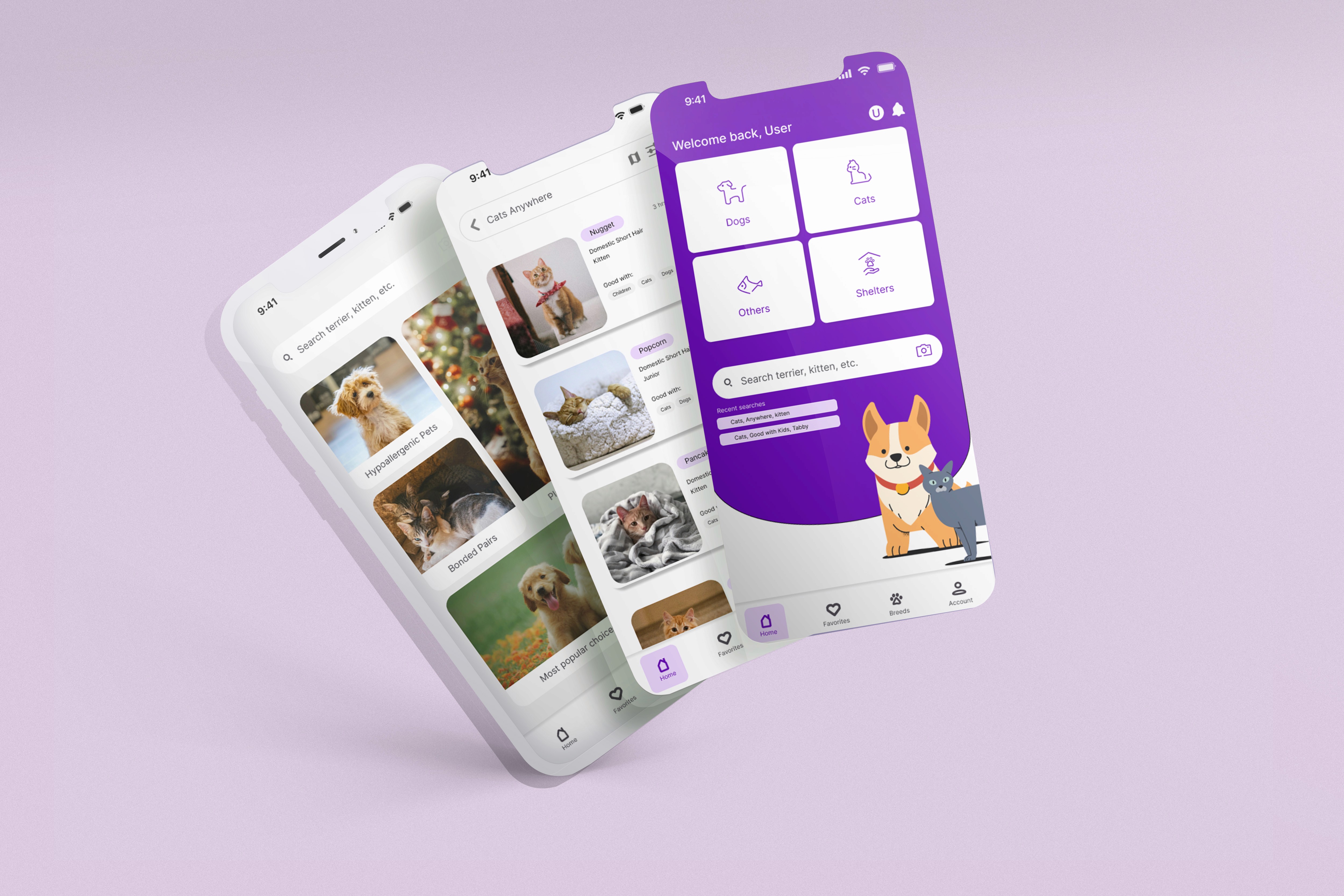
Improving Petfinder’s user experience to streamline pet discovery and make adoption easier and more accessible.

Role

End-to-End UX/Product Designer (Research, UX, UI)

Industry

Pet Adoption & Animal Welfare

Duration

3 weeks

Problem Overview

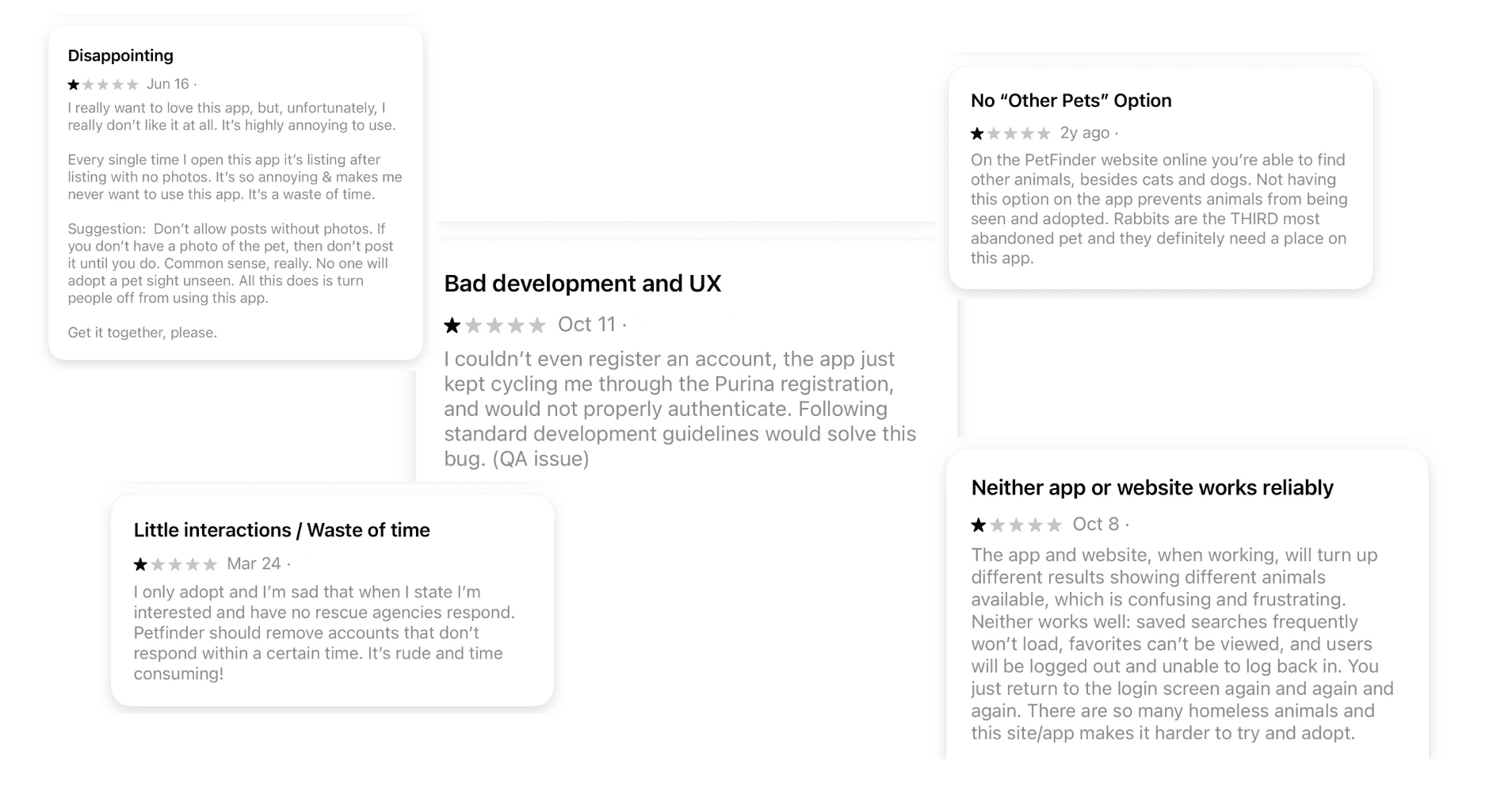
Petfinder users report difficulty finding adoptable pets due to confusing navigation, inconsistent listings, and unreliable app performance. Many reviews mention frustration with missing photos, inactive shelters, and limited filtering options — all of which create friction during an already emotional process.

Key Pain Points

  • Inactive shelters — Users often contact shelters that never respond or are no longer active.

  • Inconsistent listings — Many pets are posted without photos or clear descriptions.

  • Confusing search flow — Filters, saved searches, and results feel unpredictable and hard to use.

  • Missing features — No option to search for “Other Pets” such as rabbits or small animals.

  • Unreliable experience — Accounts fail to authenticate, saved items disappear, and users repeatedly get logged out.

How Might We Improve?

The current Petfinder app struggles with usability issues that make the adoption journey harder than it should be. By improving navigation, creating clearer pet listings, and designing a friendlier visual experience, this redesign aims to help people discover adoptable animals more easily. The goal is to create a warm, intuitive, and trustworthy platform that supports both users and shelters.

Problem Overview

Petfinder users report difficulty finding adoptable pets due to confusing navigation, inconsistent listings, and unreliable app performance. Many reviews mention frustration with missing photos, inactive shelters, and limited filtering options — all of which create friction during an already emotional process.

Key Pain Points

  • Inactive shelters — Users often contact shelters that never respond or are no longer active.

  • Inconsistent listings — Many pets are posted without photos or clear descriptions.

  • Confusing search flow — Filters, saved searches, and results feel unpredictable and hard to use.

  • Missing features — No option to search for “Other Pets” such as rabbits or small animals.

  • Unreliable experience — Accounts fail to authenticate, saved items disappear, and users repeatedly get logged out.

How Might We Improve?

The current Petfinder app struggles with usability issues that make the adoption journey harder than it should be. By improving navigation, creating clearer pet listings, and designing a friendlier visual experience, this redesign aims to help people discover adoptable animals more easily. The goal is to create a warm, intuitive, and trustworthy platform that supports both users and shelters.

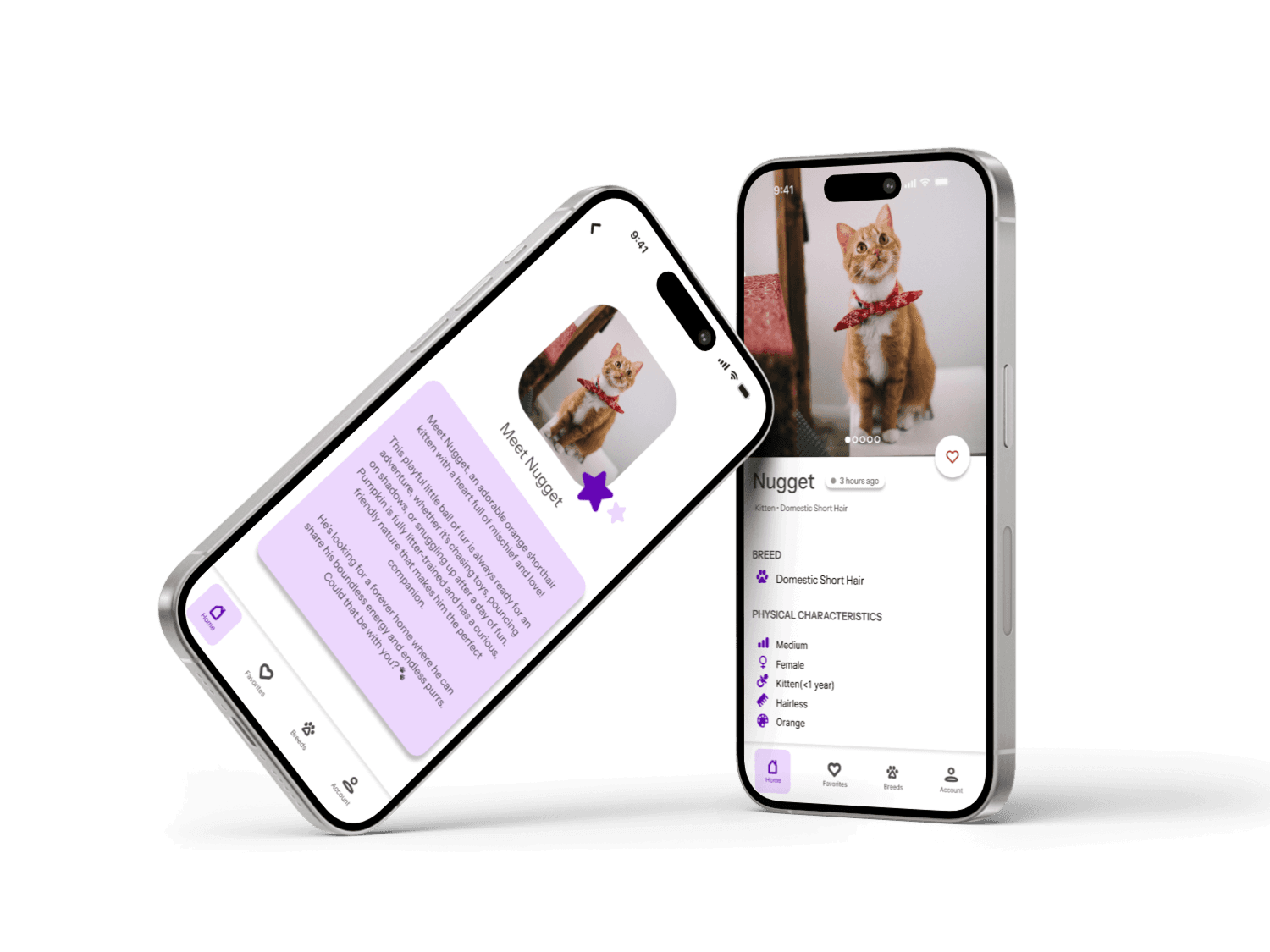
a cell phone on a white block
two cell phones on a gray surface

Research & Insights

Research Approach

To better understand user frustrations and opportunities, I analyzed app store reviews, explored the current Petfinder app, and compared it with similar adoption platforms. This helped identify patterns in user expectations and the biggest barriers preventing people from connecting with adoptable pets.

What I Learned

Users want an adoption experience that is:

  • Reliable — consistent listings, functional search, and no login issues

  • Clear — photos, up-to-date shelter info, and straightforward filtering

  • Encouraging — a friendly tone that supports an emotional decision

  • Inclusive — more categories (like rabbits and small pets) to avoid excluding animals

These insights shaped the direction of the redesign and guided every design decision.

Design Goals

Based on my findings, I defined four main design goals:

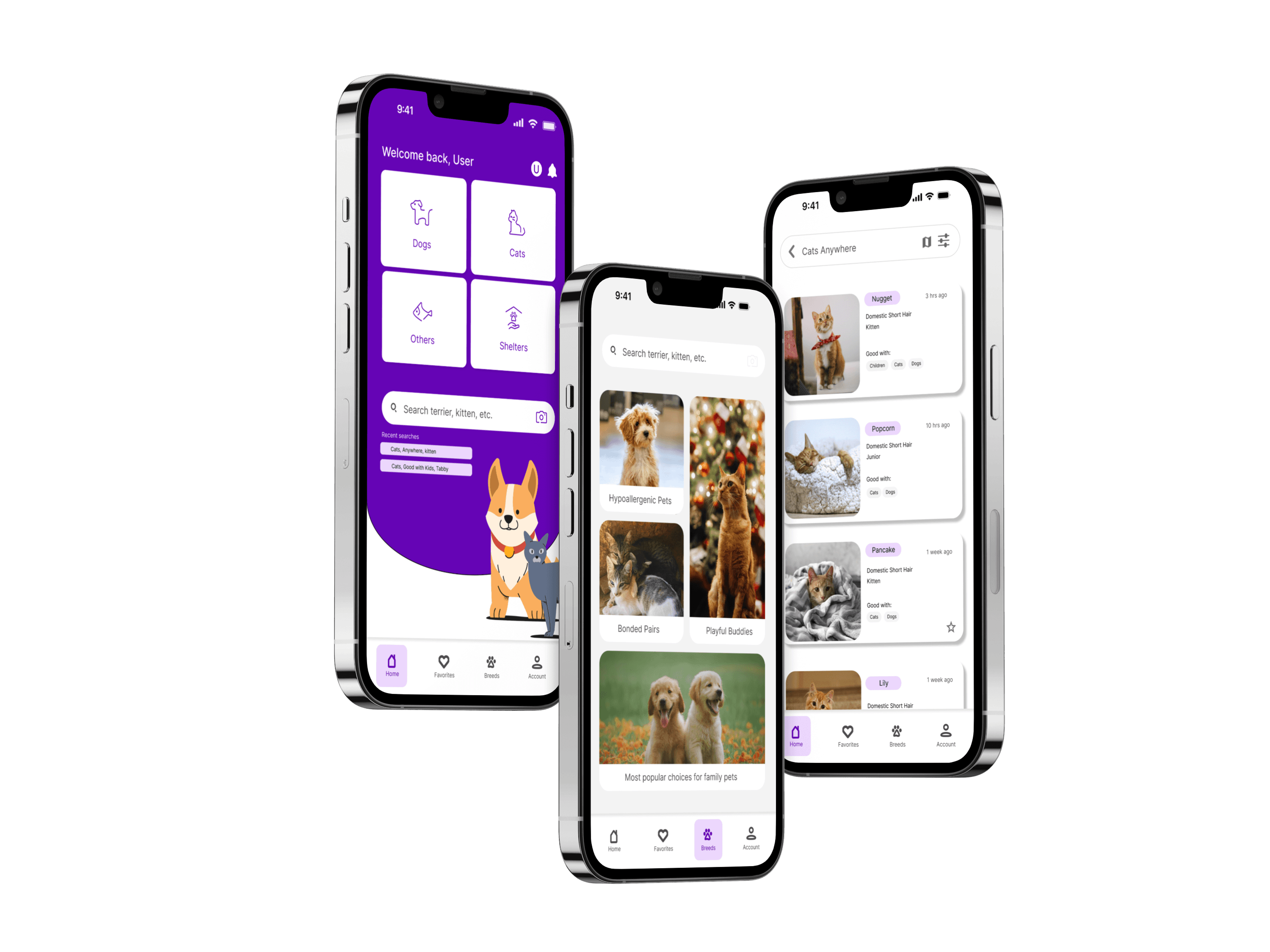
  • Simplify navigation so users can quickly find the type of pet they’re looking for.

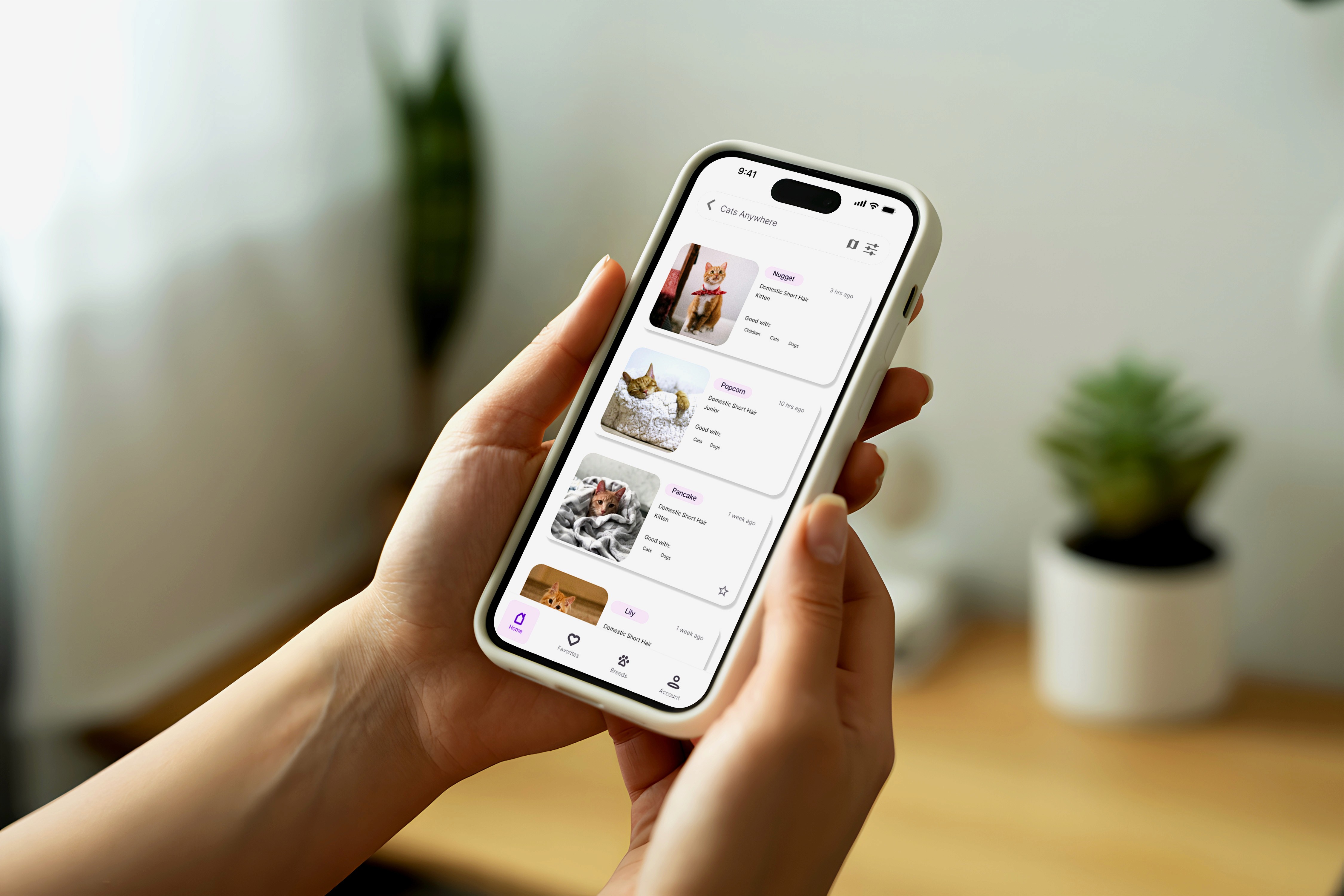
  • Improve listing clarity with required photos, badges, and updated shelter activity.

  • Make search intuitive by redesigning filters and enabling saved searches.

  • Create a softer, more welcoming visual style to match the emotional nature of adoption.

a black cellphone with a white letter on it

Key Outcomes

1. Improved Discoverability & Navigation
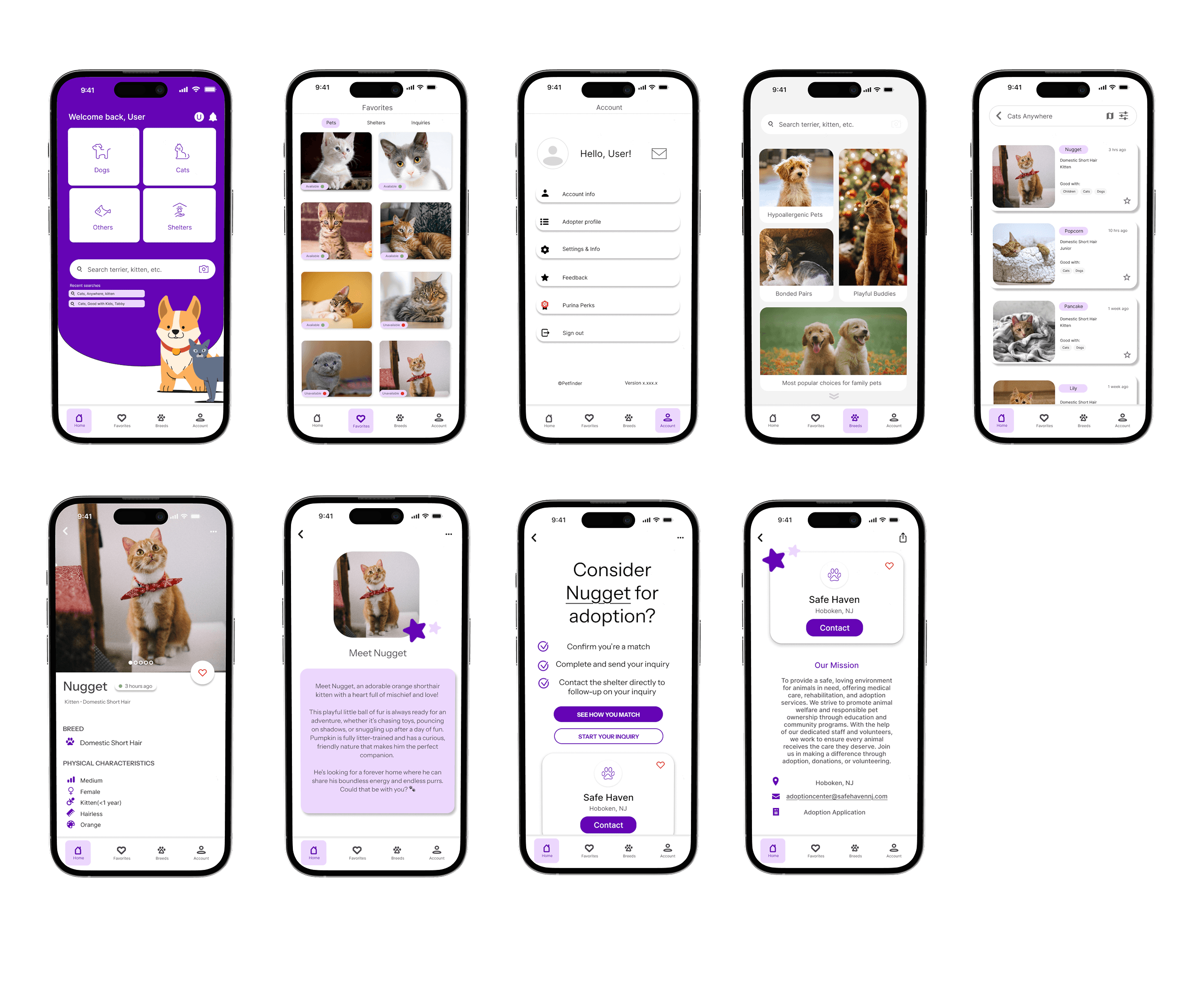
A restructured information architecture and simplified bottom navigation reduced cognitive load and allowed users to browse pets, shelters, and saved profiles with ease.

2. Increased User Confidence & Engagement
The redesigned experience reduces overwhelm, supports exploration, and builds emotional resonance — encouraging more users to take the next step in adopting.

3. Elevated Visual Identity
A modern, soft, and welcoming UI replaces the previously cluttered interface. The refreshed color palette, simplified iconography, and accessible typography make the app feel trustworthy and adopt-friendly.

Key Outcomes

1. Improved Discoverability & Navigation
A restructured information architecture and simplified bottom navigation reduced cognitive load and allowed users to browse pets, shelters, and saved profiles with ease.

2. Increased User Confidence & Engagement
The redesigned experience reduces overwhelm, supports exploration, and builds emotional resonance — encouraging more users to take the next step in adopting.

3. Elevated Visual Identity
A modern, soft, and welcoming UI replaces the previously cluttered interface. The refreshed color palette, simplified iconography, and accessible typography make the app feel trustworthy and adopt-friendly.

Other projects
Interested in connecting?

Let’s talk projects, collaborations, or anything design!

Email: kaceychen.design@gmail.com

Interested in connecting?

Let’s talk projects, collaborations, or anything design!

Email: kaceychen.design@gmail.com

Interested in connecting?

Let’s talk projects, collaborations, or anything design!

Email: kaceychen.design@gmail.com

©2025 by Kacey Chen

©2025 by Kacey Chen

©2025 by Kacey Chen